Prompt and skill manager for Claude Code, Codex and ChatGPT
Your prompts and skills,
one keystroke away.
Save any AI prompt in five seconds. Find and paste it in three. Turn the ones you reuse into skills Claude Code and Codex load on their own.
Kipt keeps your prompts and skills in a private repo in your own GitHub.
Built for the formats your agents already read
Find any prompt in three seconds.
One box searches every prompt and skill, typos included. Enter copies. Blanks get filled in first.
- Landing page from one lineAgent brief that turns a one-line product idea into a full landing page#web#landing-page
- Pull request descriptionFill-in template for a clear pull request description#coding#writing
- Code reviewThorough review of a diff with findings ranked by severity#coding#review
- Explain it simplyPlain-language explanation of any topic at the level you choose#learning
- Cold emailShort, specific cold email that earns a reply#email#writing
Fill in the blanks
Landing page from one line
Most prompt libraries die within two weeks. Not because the prompts are bad, but because using them is slower than not.
- 01Saving one takes longer than dumping it in Apple Notes.
- 02Finding one takes longer than retyping it from memory.
- 03Even when you find it, you still paste it in by hand.
Four moves. All keyboard.
Paste to save, search to copy, fill the blanks, and turn the ones you reuse into skills your agents load on their own.
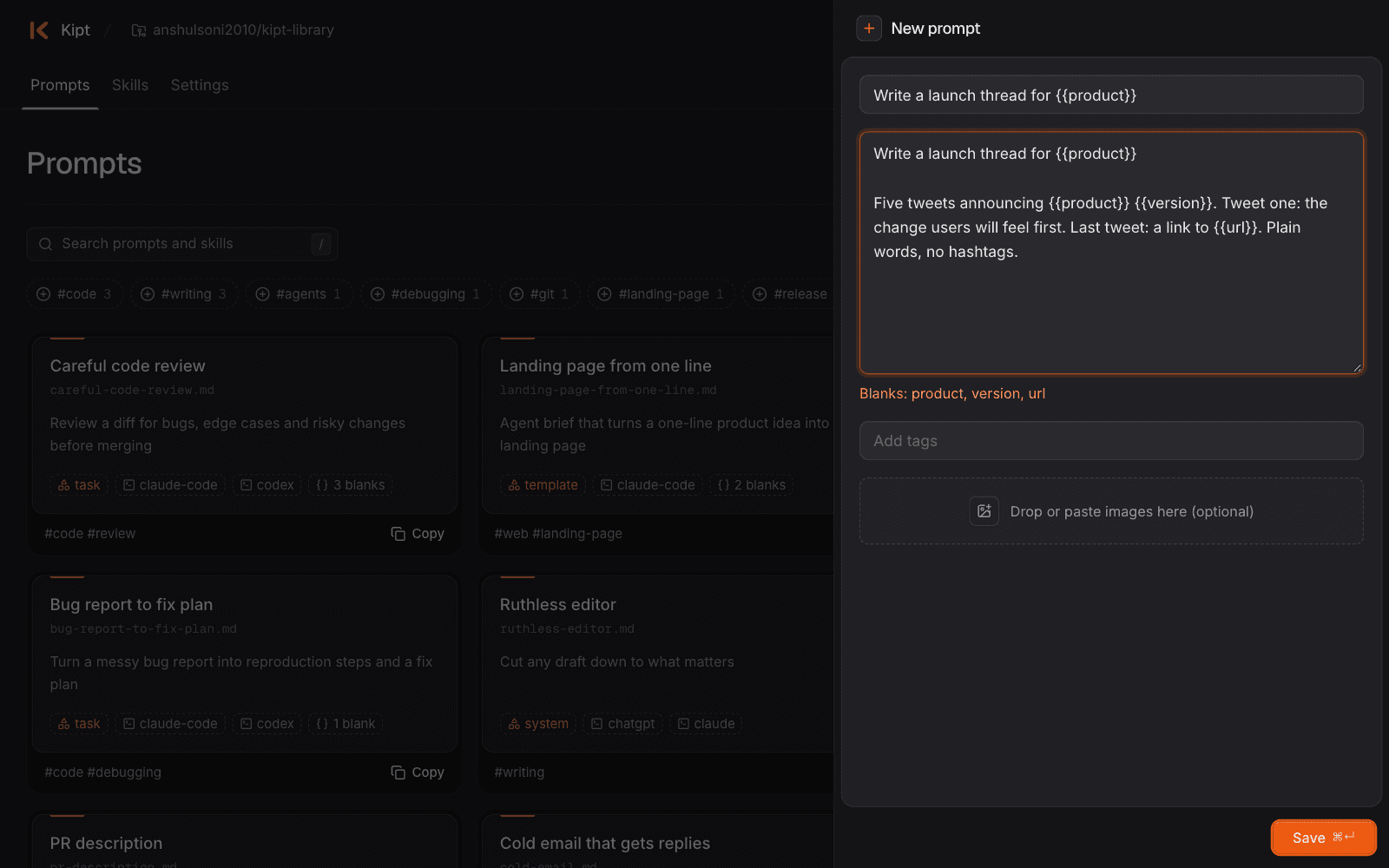
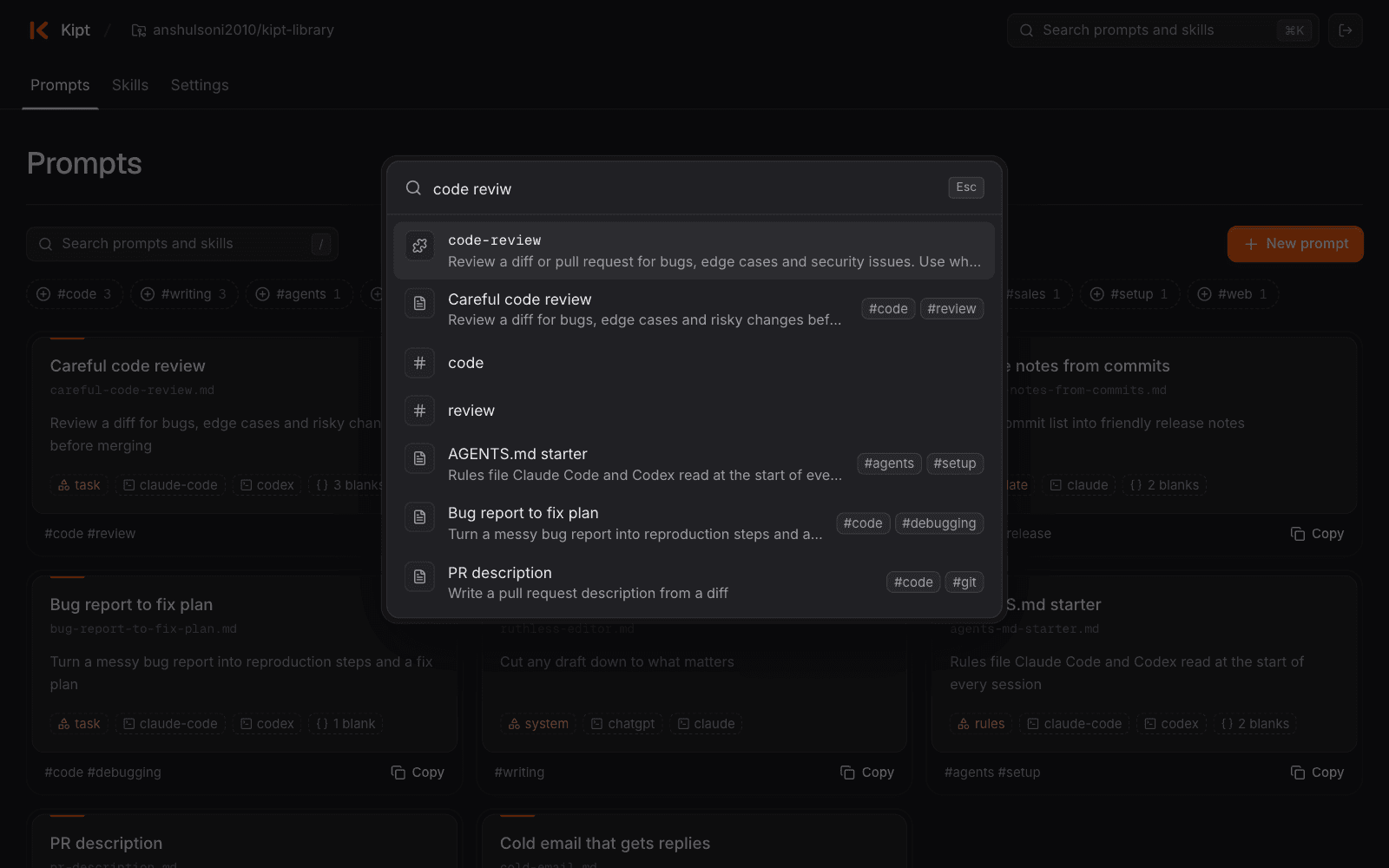
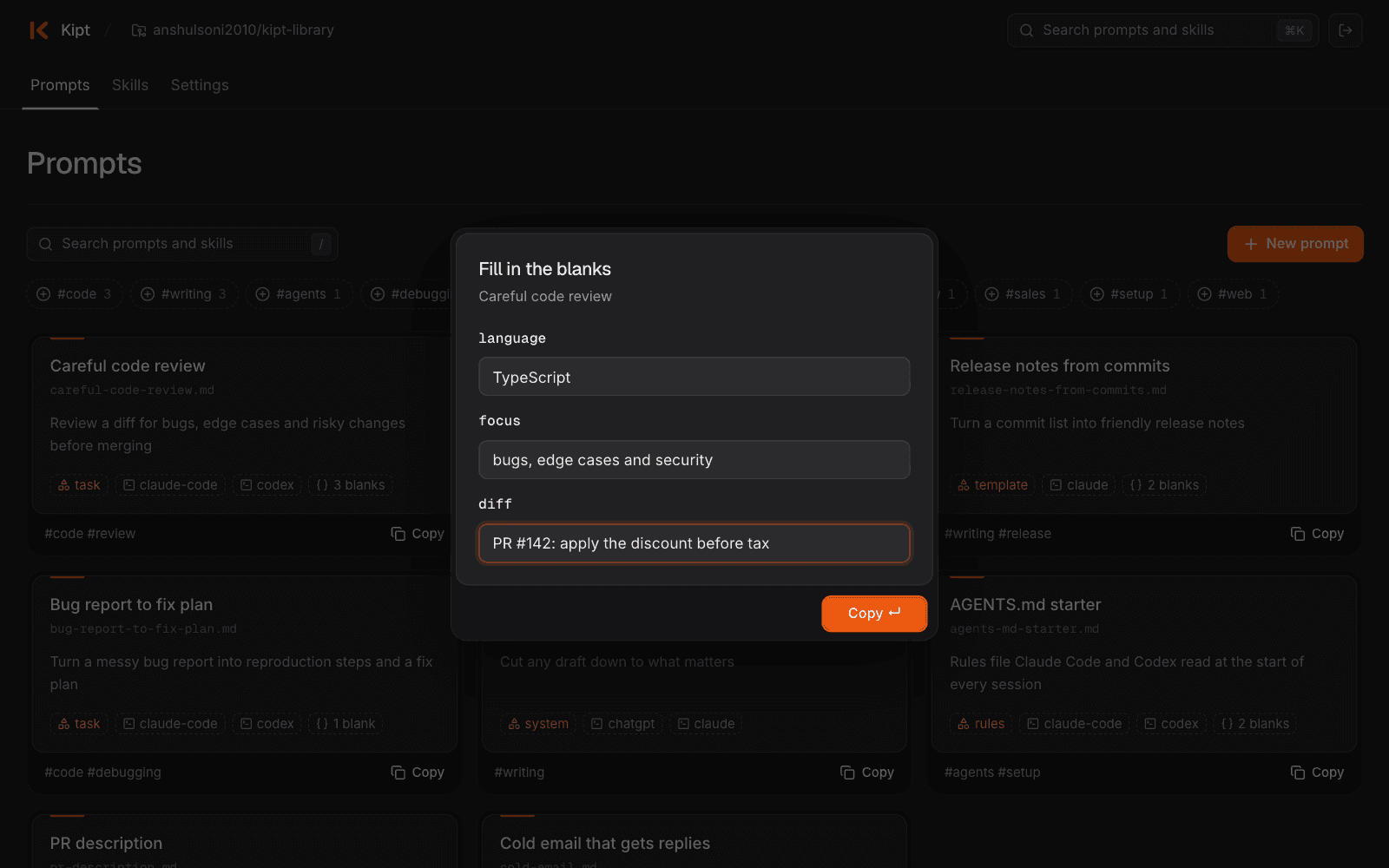
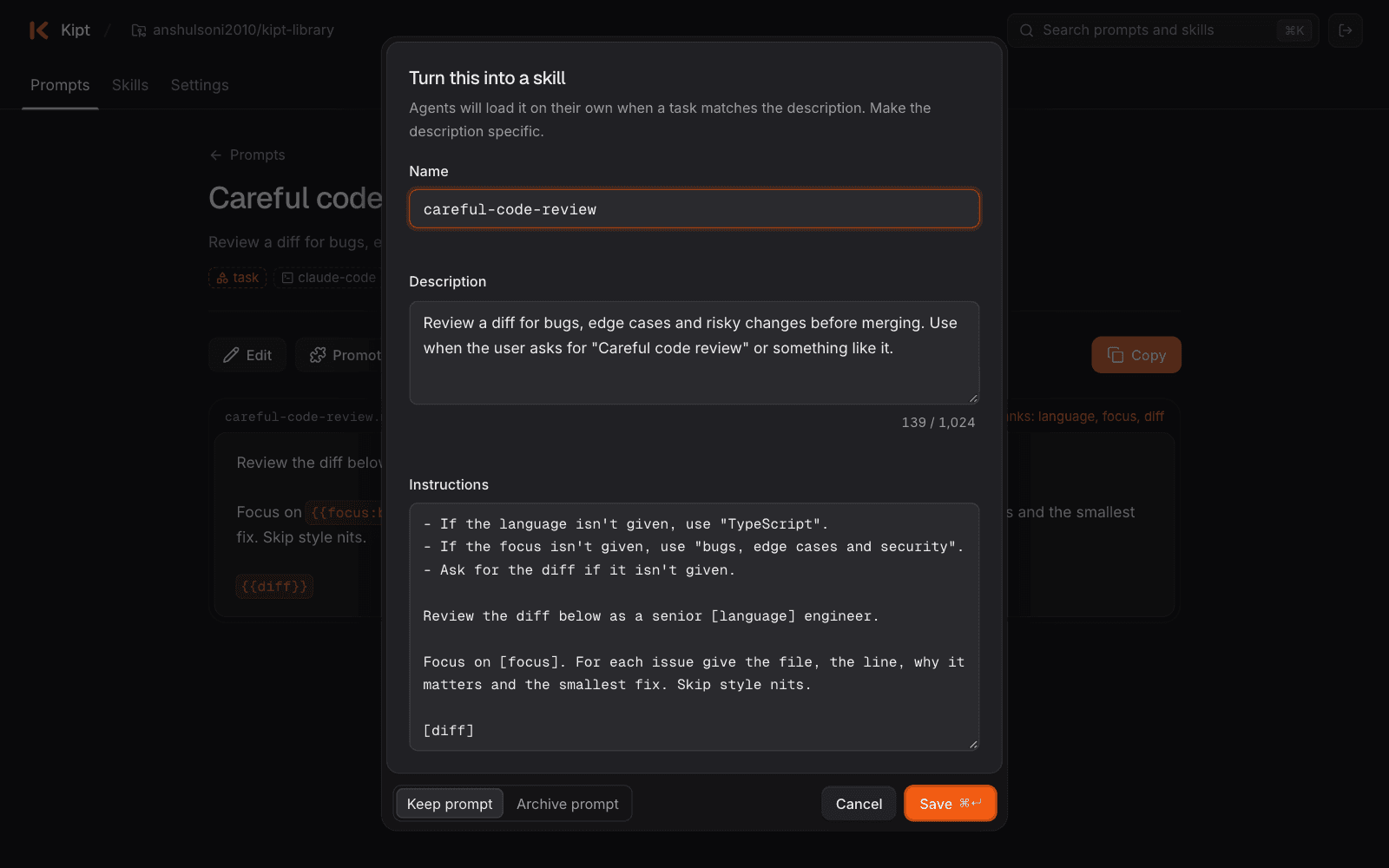
A notes app stores text. This stores what your agents read.
Prompts and skills live as plain files in the exact formats Claude Code and Codex already use.
---
name: release-notes
description: Writes release notes for a
  product update. Use when the user asks
  for release notes or a changelog entry.
---
Ask for the product if it isn't given.
Lead with the biggest change...
$ npx skills add https://github.com/you/your-library.git --skill release-notes -a claude-code -a codex -gThen call it with /release-notes or $release-notes.Prompts that become skills
Turn a prompt you paste every day into a SKILL.md your agents load when a task matches it.
Every save is a commit
Your library lives in a private GitHub repo, so history and undo come free. No database, no lock-in.
Next: agents use it directly
Claude Code and Codex will search your library, pull a prompt with the blanks filled, and save new ones while you work.
Frequently asked questions
What Kipt is, where your prompts live, which agents it works with, and when you can start.
Kipt is a keyboard-first web app that saves your AI prompts and agent skills in a private GitHub repo you own. Paste to save a prompt, press ⌘K to find it, and Enter to copy it.
People who reuse AI prompts every day: developers working in Claude Code, Codex, ChatGPT or Claude, and anyone whose best prompts are scattered across notes and old chats. If you only keep a handful of prompts, you probably don't need it.
In a private repo in your own GitHub account, as plain Markdown files. If you ever stop using Kipt, your library still works.
Only the one repo you pick. Kipt connects through its own GitHub App with read and write access to that repo's files, and nothing else in your account. You can remove it any time in your GitHub settings.
No. There is no Kipt database: your repo is the only lasting copy. Kipt reads it when you open the app and caches it for a few minutes so pages load fast. It never stores a GitHub password or long-lived token; each request uses a short-lived token GitHub issues for that one repo.
You can, and your files work that way too. Kipt adds the speed: paste to save, ⌘K to find, Enter to copy, a small form for the blanks, and one click to turn a prompt into a skill. Your skills also install straight from the repo with npx skills add, with or without Kipt.
Yes. Prompts and skills use the exact formats both already read, so nothing needs converting.
No. It runs in your browser, phone included. Skills install into your agents with one command when you want them.
Not yet for everyone. Join the waitlist and you'll get an email when your spot opens.
Stop retyping your best prompts.
⌘K to find it. Enter to copy it. Get an email when your spot opens.